


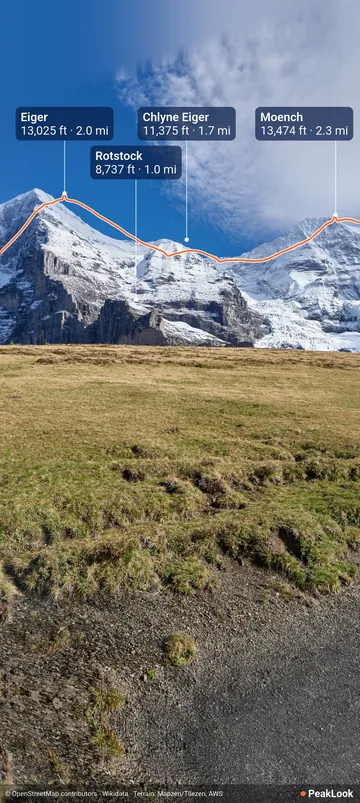
Take a photo
The shutter of the camera view, Take a photo, saves a full-resolution photo with the skyline and the peak names drawn on it. It goes to your gallery, in the PeakLook album. Then Share it, or keep the original as well with Keep the original, in Settings.
Annotate an older photo
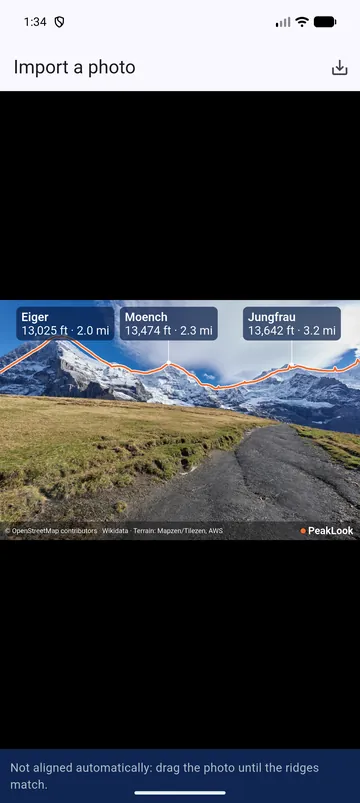
Import a photo, in the Menu: choose a photo from your gallery. PeakLook reads where it was taken, then tries to line the photo up with the ridges. If it cannot, it says Not aligned automatically: drag the photo until the ridges match. A photo with no location is placed on the map.
Location and the PeakLook mark
Photos keep no location unless you ask: Remove location from photos is on at first. Free photos carry a small PeakLook mark. Watch a short ad to save one photo without it, or get PeakLook Pro for all your photos. See Photos.